
How to recognise scammers and protect your money?


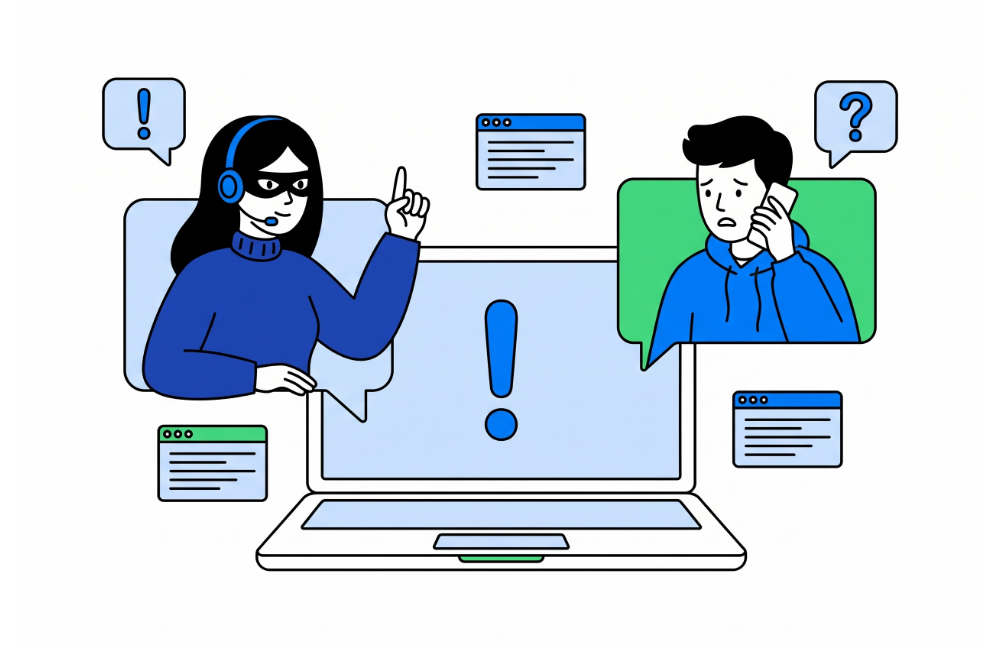
Is this really Paysera calling?
We rarely call our clients, and during a call we will never ask you for:
- your card number, PIN, CVV code, or expiry date;
- the password you use to log in to Paysera online banking or your email;
- your Paysera Super App login code;
- a confirmation code sent to you by SMS.
When we call you, we will also never ask you to transfer money to another account, change your password, log in to online banking, or confirm a login in the Paysera Super App. If a caller asks for any of these details or actions, it is not Paysera – end the call and do not follow their instructions.
Fake websites and emails
A scam website can look exactly like the real one – in that case, only the address gives it away, such as payssera.com instead of paysera.com. So open the login page bank.paysera.com yourself by typing the address into your browser rather than using search engines: scammers may pay for ads so that their site appears above the real one.
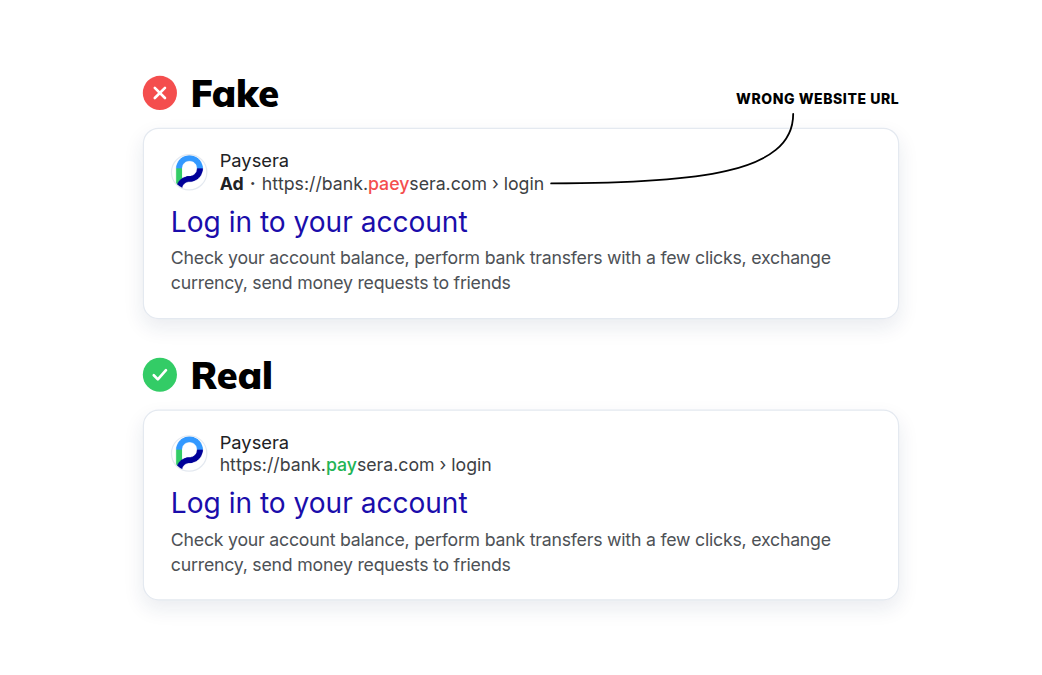
Scammers may send emails in Paysera’s name urging you to log in to your account immediately, claiming that it will otherwise be blocked. We may send you a reminder to fill in the KYC questionnaire, but we will never ask you to download an attachment or install any software. Unless you have asked to change your password yourself, our emails will not contain a link to a password change page.
If an email looks suspicious, check the sender’s address – it may differ from the real one only slightly. Do not click any links in the email or enter any details – log in to your account yourself. If you are unsure whether the email came from Paysera, forward it to [email protected]: we will check whether we sent it and, if not, investigate it.
Other types of fraud
- Fake job offers and upfront fees. Scammers offer an attractive job, loan, or prize, but first ask you to pay a fee – for training, equipment, or administration. Once they have the money, they disappear.
- Investment calls. We never send messages urging you to transfer money and get more back. Be critical of promises of quick profit from investment platform representatives who contact you by phone or video call – especially if you have never met them in person. Also beware of anyone who later offers to recover your lost money for a fee.
- Text messages with links. Scammers can send text messages that look like they come from your bank – they may even appear in the same conversation as your bank’s real messages. Others pose as a delivery company and claim that a buyer has already paid for an item you are selling. Do not click the links in such messages or enter any details.
- Calls from people posing as officials. Scammers introduce themselves as employees of a bank, a security department, or a state authority, such as the Financial Crime Investigation Service, claim there is a problem, and ask you to take some action or confirm your identity. Sometimes they do not speak Lithuanian, or they ask to switch to another language. These institutions never ask for your login details over the phone – hang up.
Key rules to protect yourself
These rules will help you protect yourself from scammers:
- Never share your login details, PIN, or confirmation codes.
- Log in to Paysera only via bank.paysera.com or the Paysera Super App downloaded from the App Store, Google Play, or Huawei AppGallery.
- Only confirm logins and payments you are making yourself. When logging in, check that the code shown in the Paysera Super App matches the one in your browser.
- Before confirming a euro transfer, review the payee verification result – Paysera shows whether the recipient’s name you entered matches the account holder’s details. If you get a warning that the name does not match or only partly matches, do not confirm the transfer until you have found out why.
- Keep your phone’s operating system and apps up to date. You will find more tips in our article on mobile security.
What to do if you come across a scammer?
If you have lost money to scammers or suspect that someone knows your card or login details, act as quickly as possible:
- Block your card. If you suspect that someone knows your card details, block it immediately in the Paysera Super App.
- Contact Paysera. In Lithuania, call +370 5 2071558 (Lithuanian, Russian, and English), or +44 20 80996963 for 24/7 support in English. You can find numbers for other countries on our contacts page.
- Change your password. This is especially important if you may have given it away on a fake website or during a call.
- Check your account statements and login history. Make sure there are no transactions you did not make and no logins from unfamiliar IP addresses. You can find your login history in online banking under Settings › Profile settings › Security settings › Login history.
- Report it to the authorities. Inform the police about the fraud and, if it is an investment scam, your country’s financial regulator as well – in Lithuania, this is the Bank of Lithuania (see its fraud page, available in Lithuanian only).